TEAM
1 Product Designer (me), 1 Developer, Client (Product Owner)
TIMELINE
2 weeks MVP Sprint
TYPE
AI Native / B2B SaaS / MVP sprint


BACKGROUND
A media studio's feedback lived in email. Their creation lived in disconnected tools. I designed a unified AI-native workspace — solo, from discovery to dev handoff — in a single sprint.
CHALLENGE
How might we give a media production team one workspace where AI-assisted creation and real-time team feedback happen together without technical overwhelm?
Structural rework after handoff
Full design handoff sprint
In Feedback loops(estimated, not yet measured)
1
2
3
4
5
DISCOVER
Client convo + competitive audit
DEFINE
3 design goals from real pain
DESIGN
Straight to high-fi (intentional)
ITERATE
Stakeholder walkthroughs
HANDOFF
Dev-ready in week 2
The client provided a requirements document written with AI assistance — high-level, vague, heavy on outcomes like "easy to use" and "collaborative" with no further definition.
Rather than ask for a rewrite (which would cost days), I ran a short discovery session with the studio team directly. I learned: their most-used tool was Freepik's AI assistant, meaning they were already comfortable with AI creation. Their biggest delay wasn't making things — it was iterating on them together. Feedback came in via email, disconnected from the actual asset.
I also ran a quick competitive audit of Frame.io, Figma, and Notion to identify what patterns work when feedback needs to be contextual and precise.
Core insight: This wasn't a creation problem. It was a collaboration and feedback problem.
1.
2.
3.
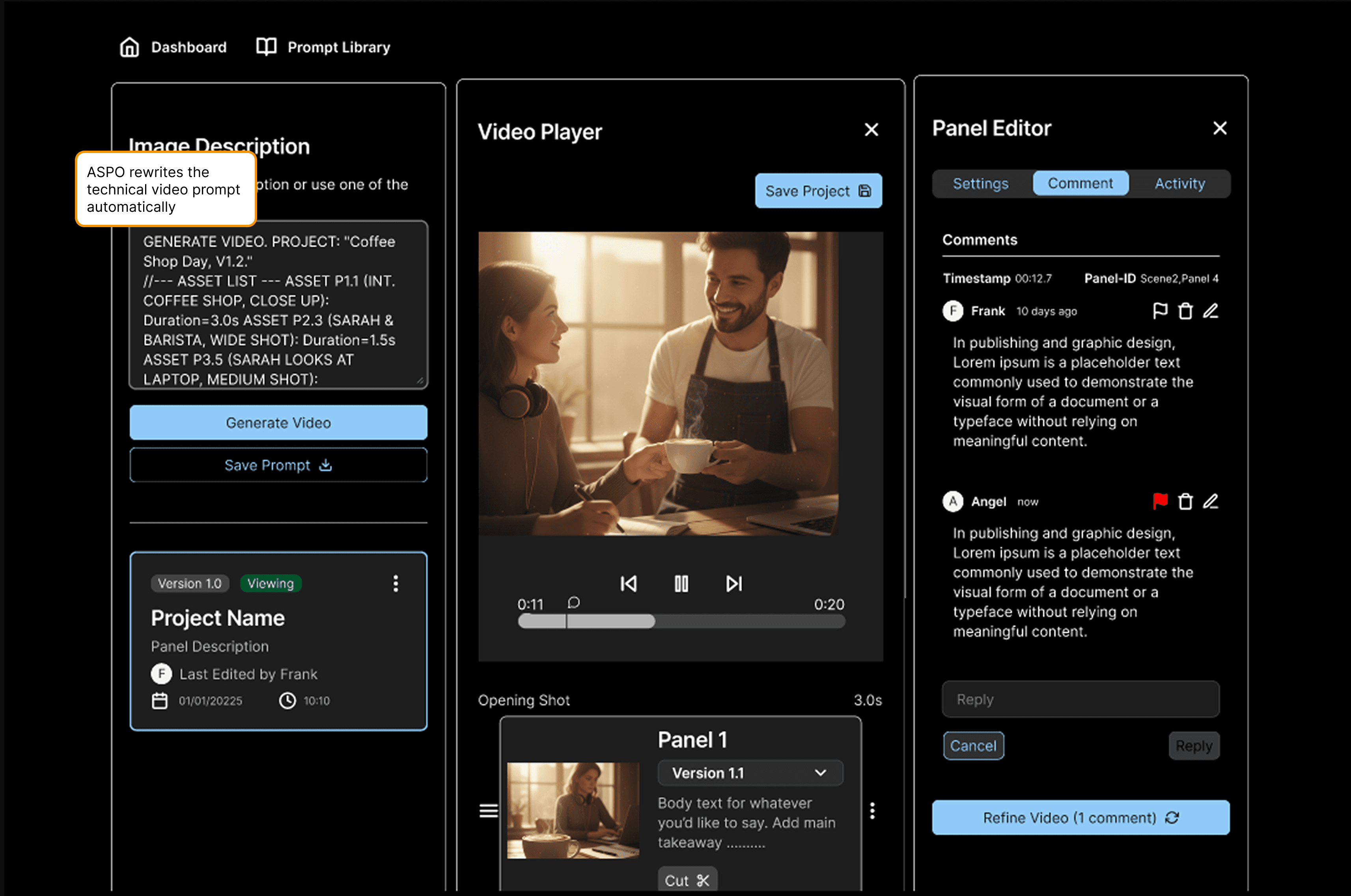
The studio jumped between 3+ tools daily. I collapsed the entire pipeline — Script → Storyboard → Panels → Video — into one linear workspace. One tab. No context switching.
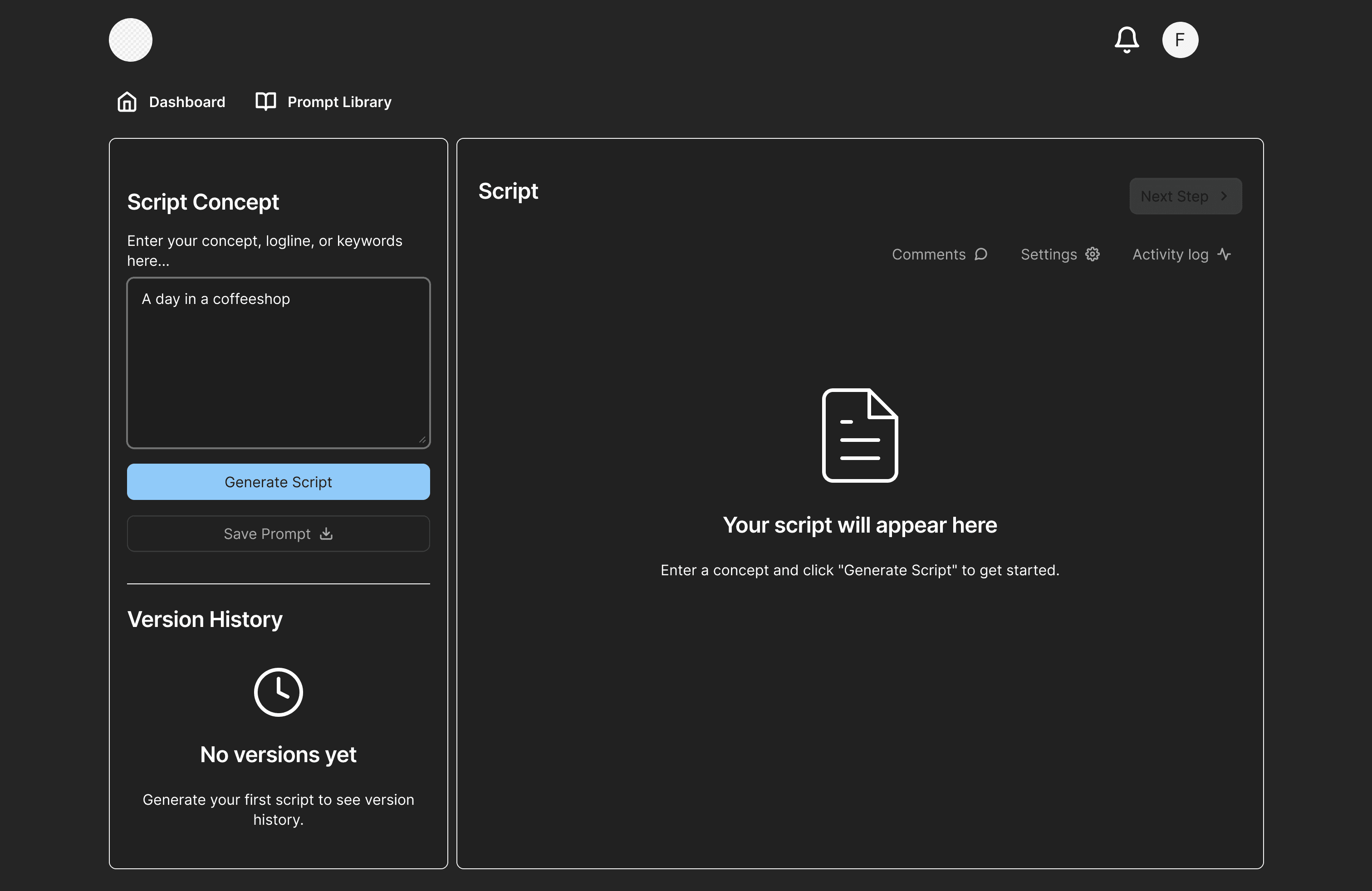
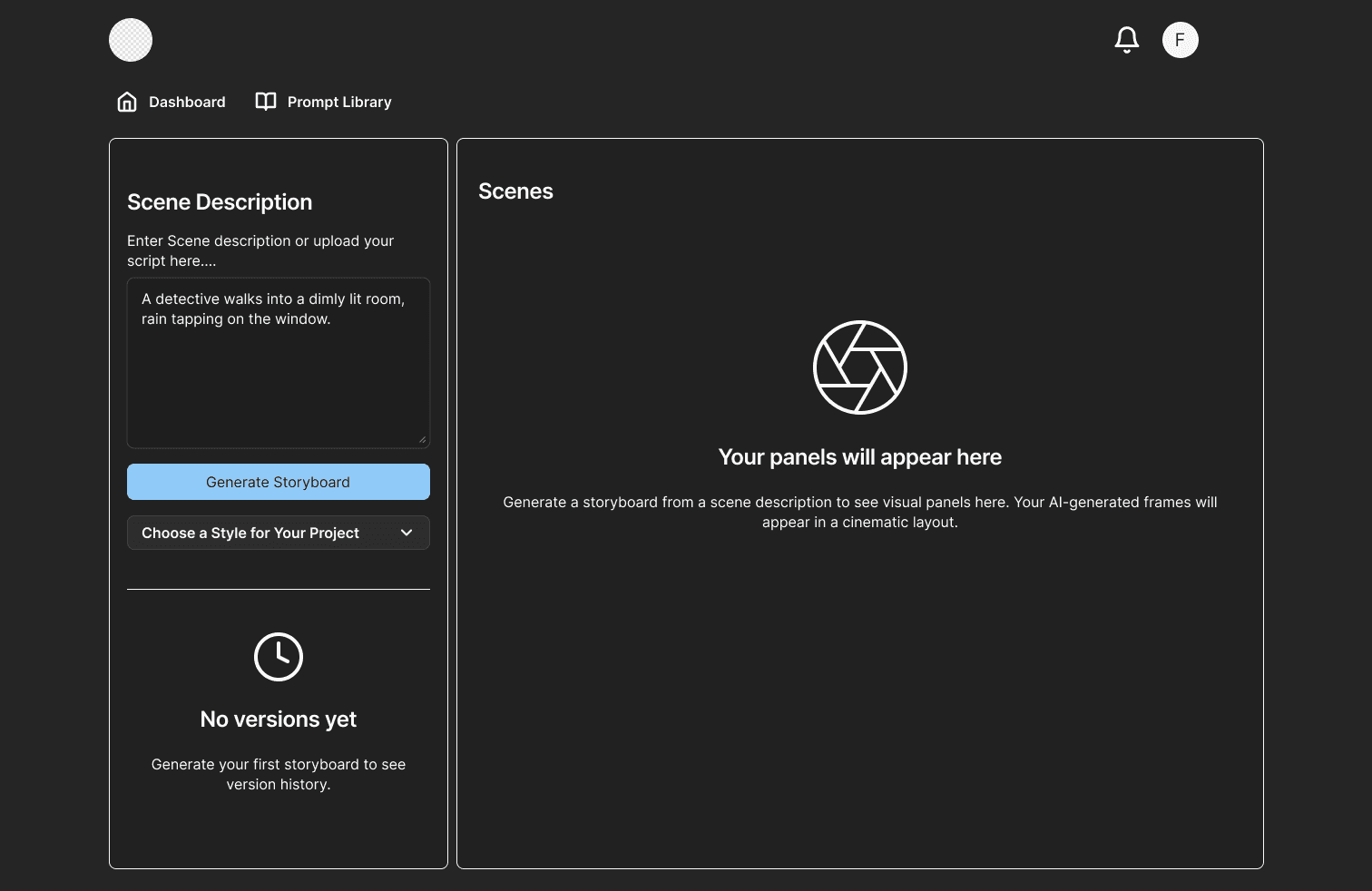
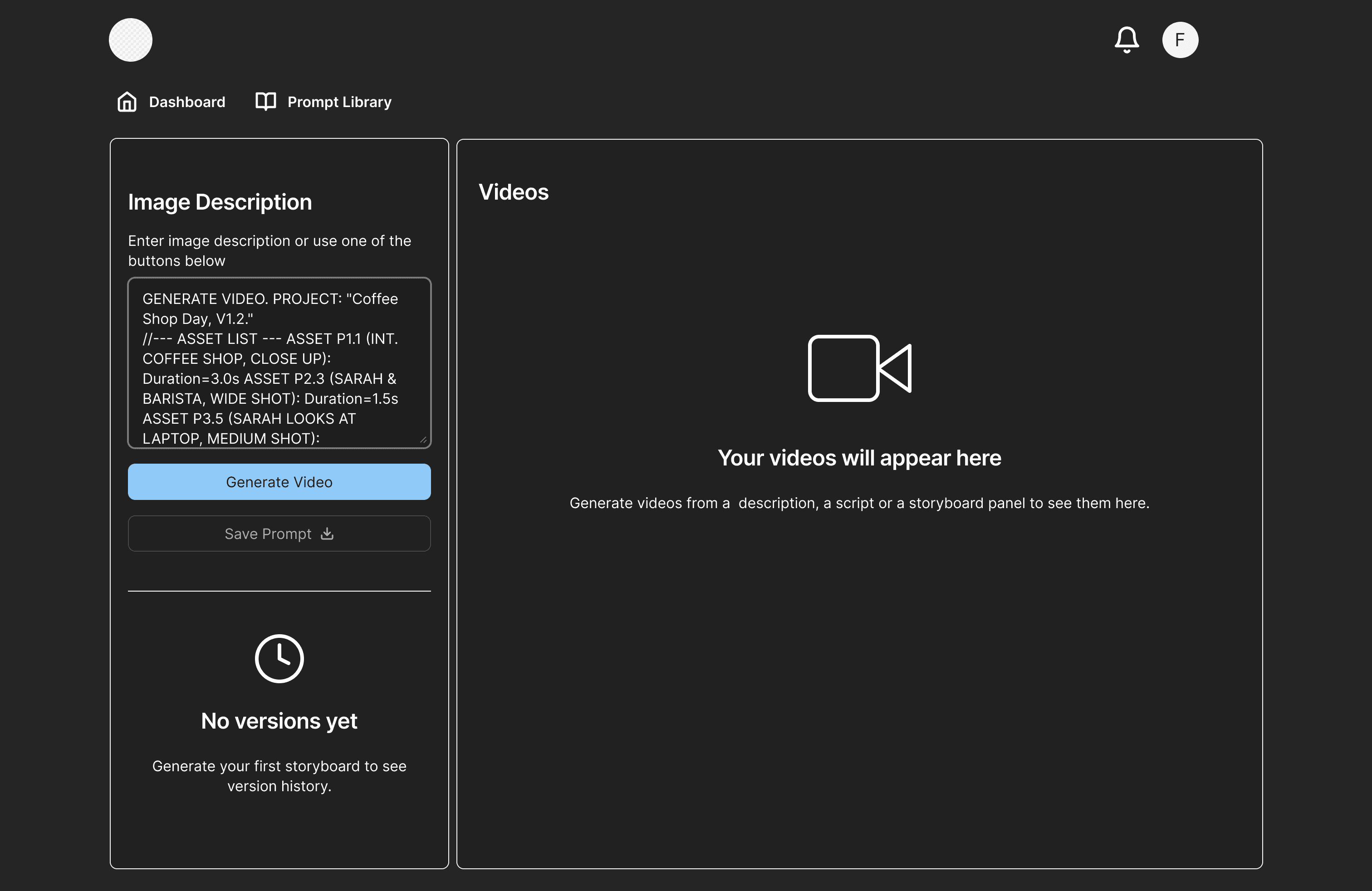
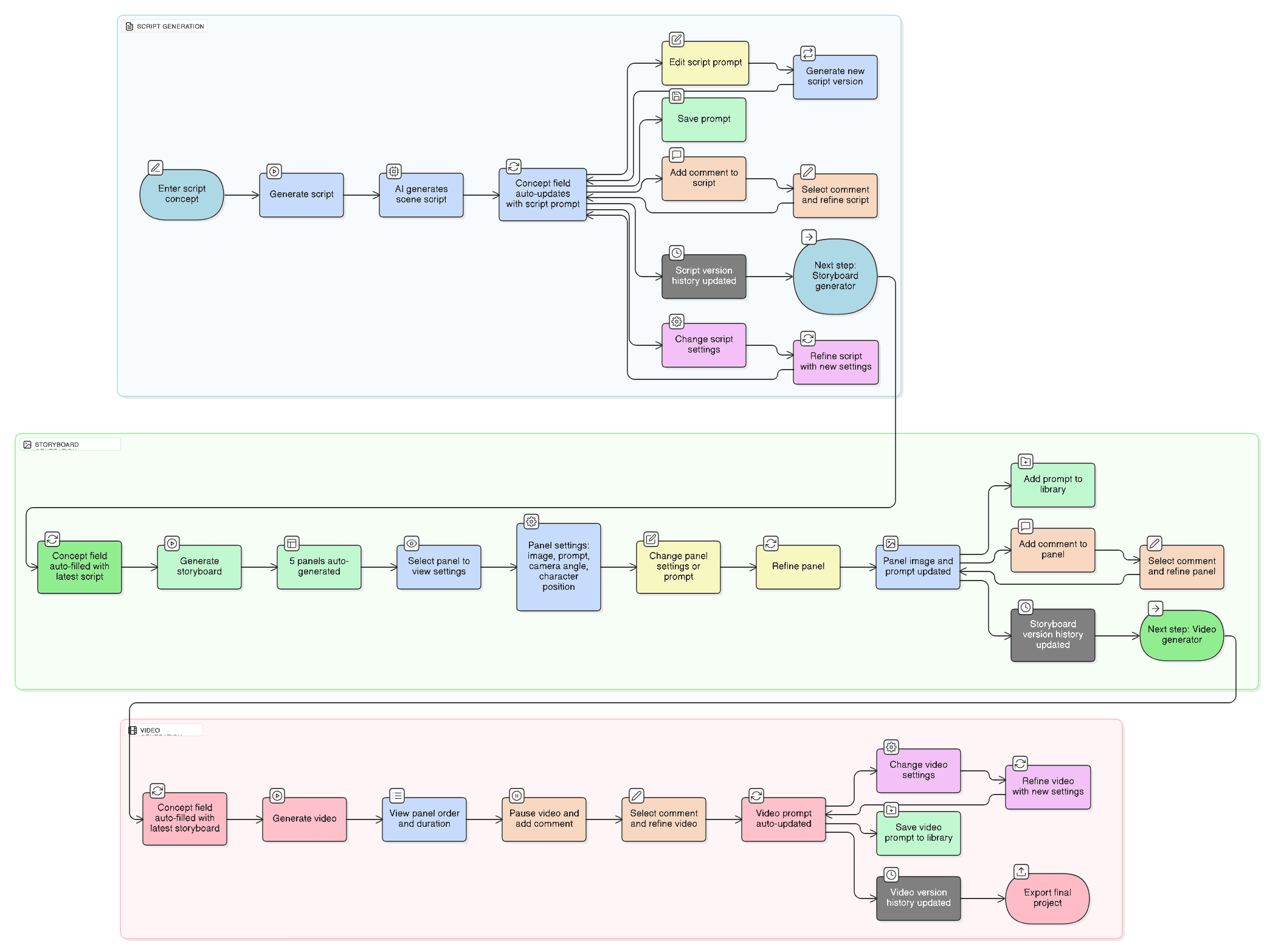
Feedback was arriving via email — disconnected from the actual asset. I gave every stage two explicit paths: direct edit or contextual comment.
Feedback now lives where the work lives.
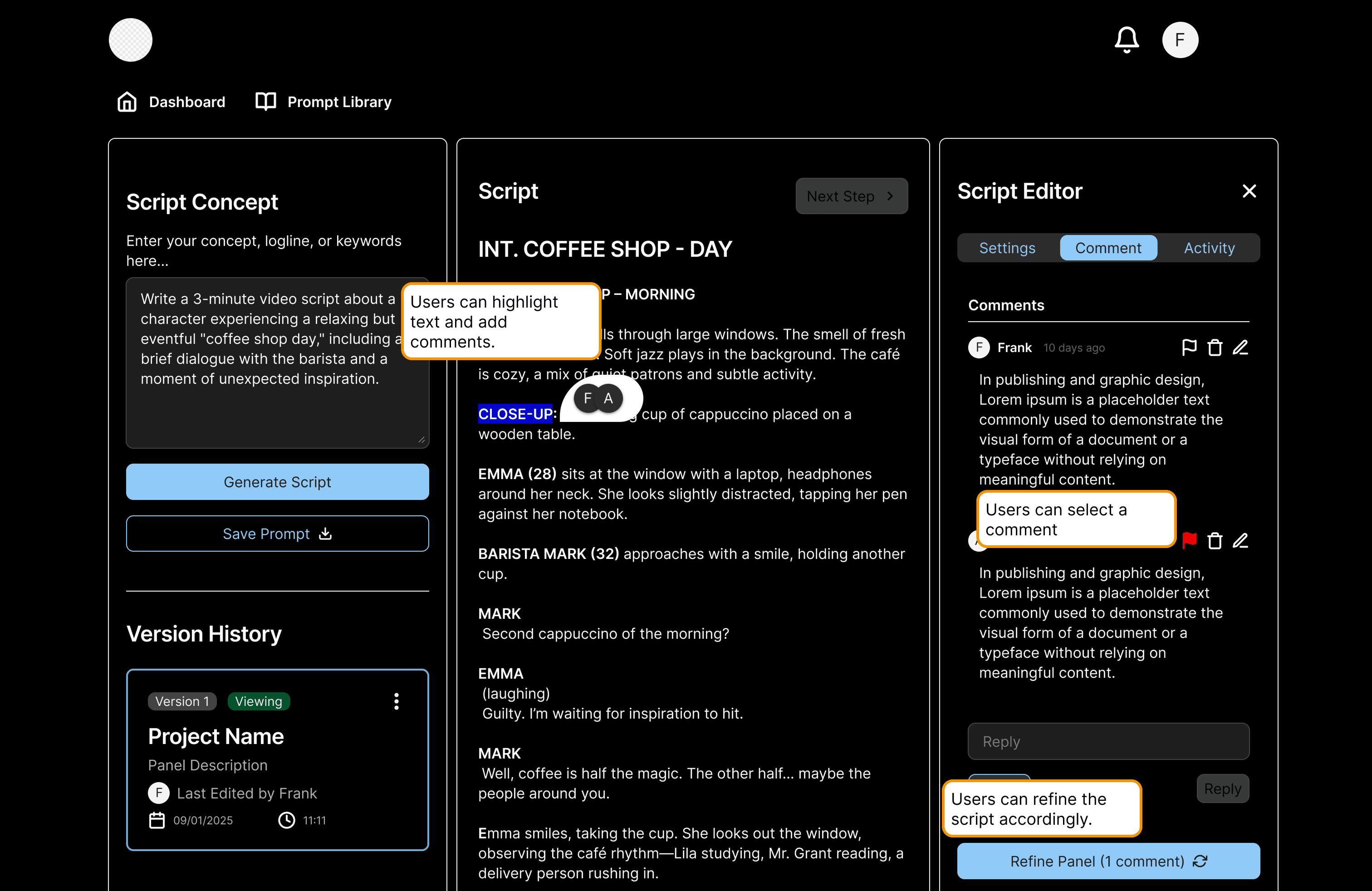
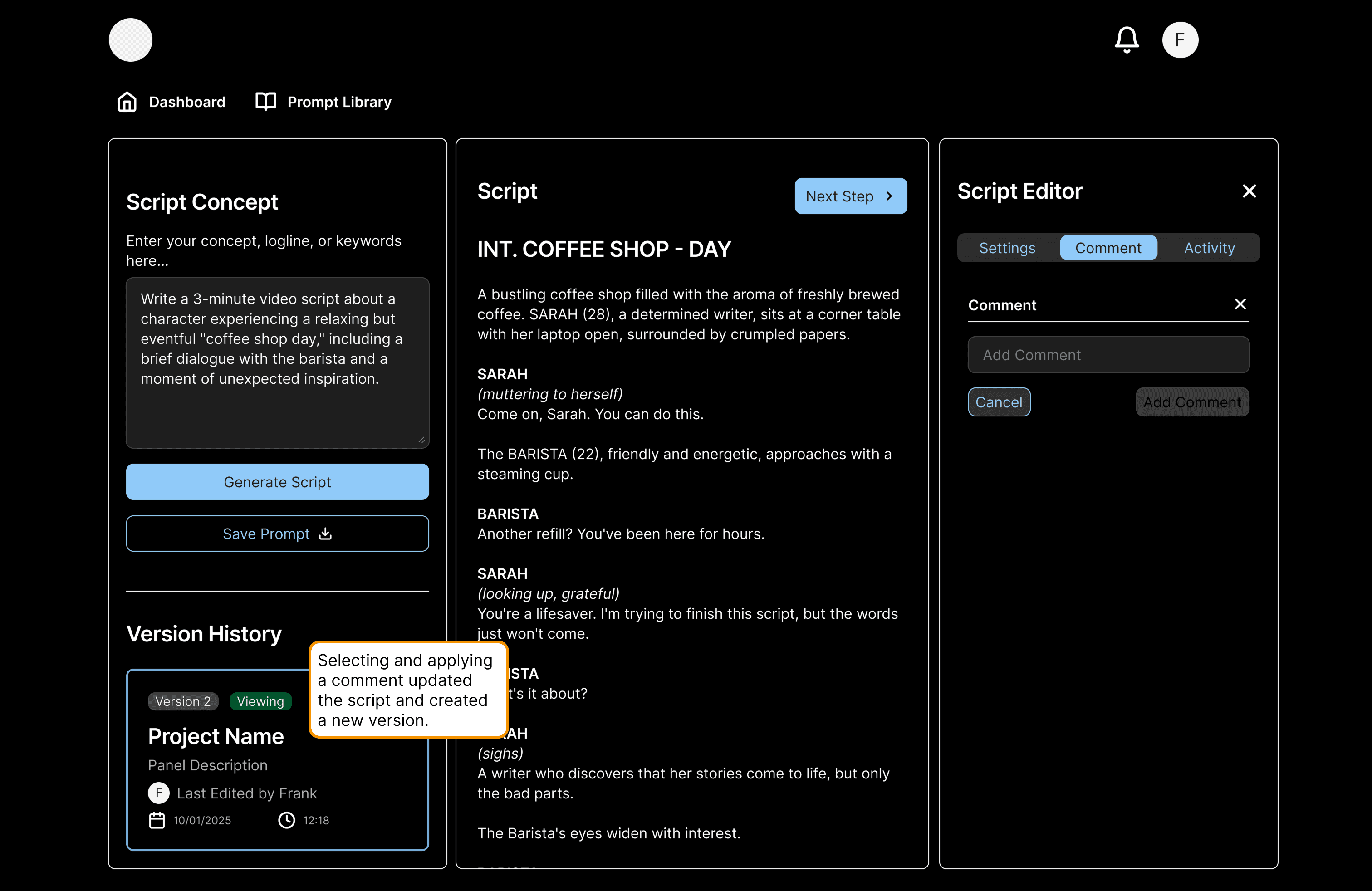
Early walkthroughs revealed the problem: users couldn't tell if they were editing or annotating. Separating the two paths eliminated that confusion — same outcome, no ambiguity about intent.
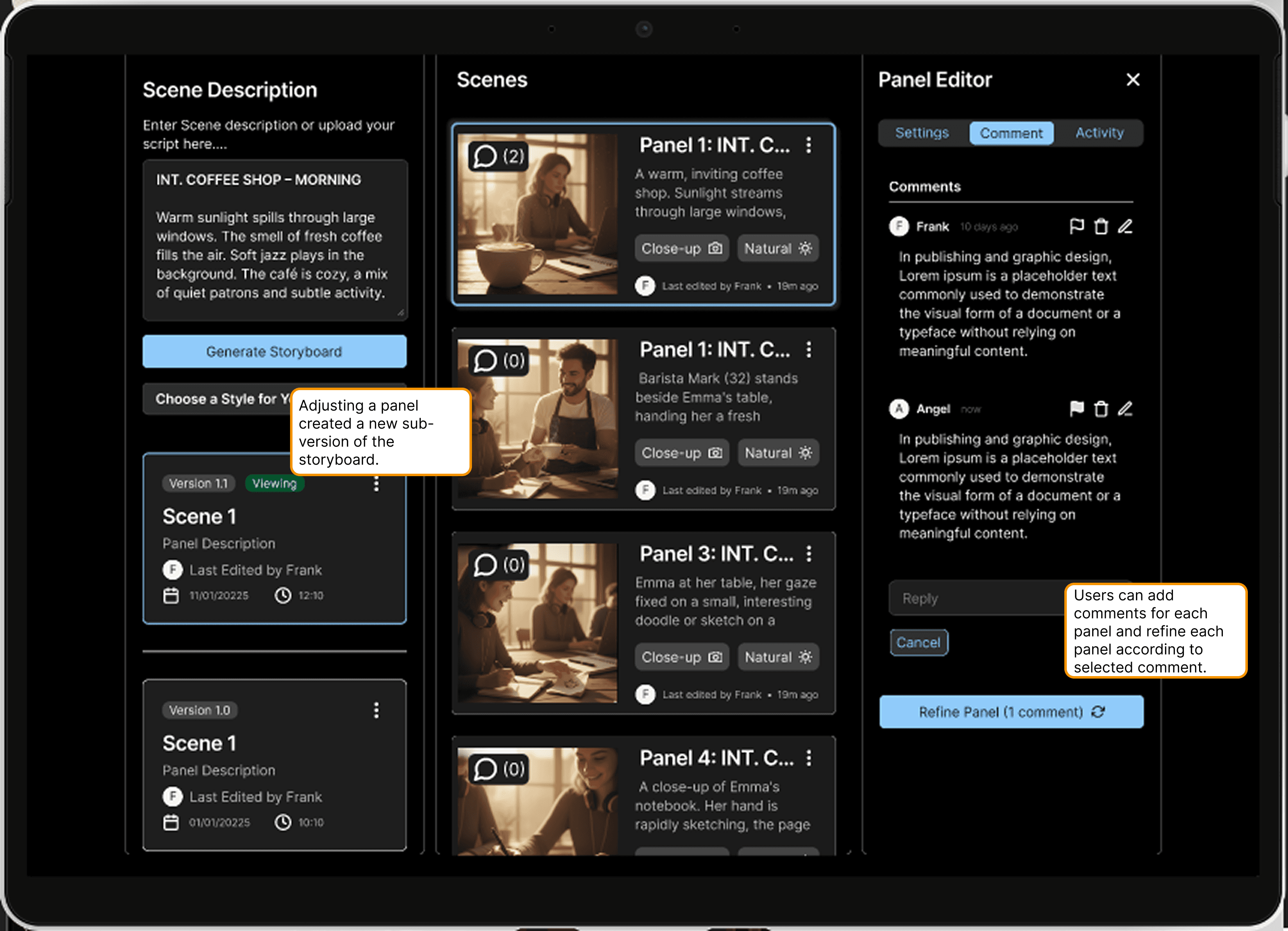
Generic video feedback leads to endless back-and-forth. Timestamped comments pin feedback to the exact frame — so "fix the transition at 0:14" means exactly that.
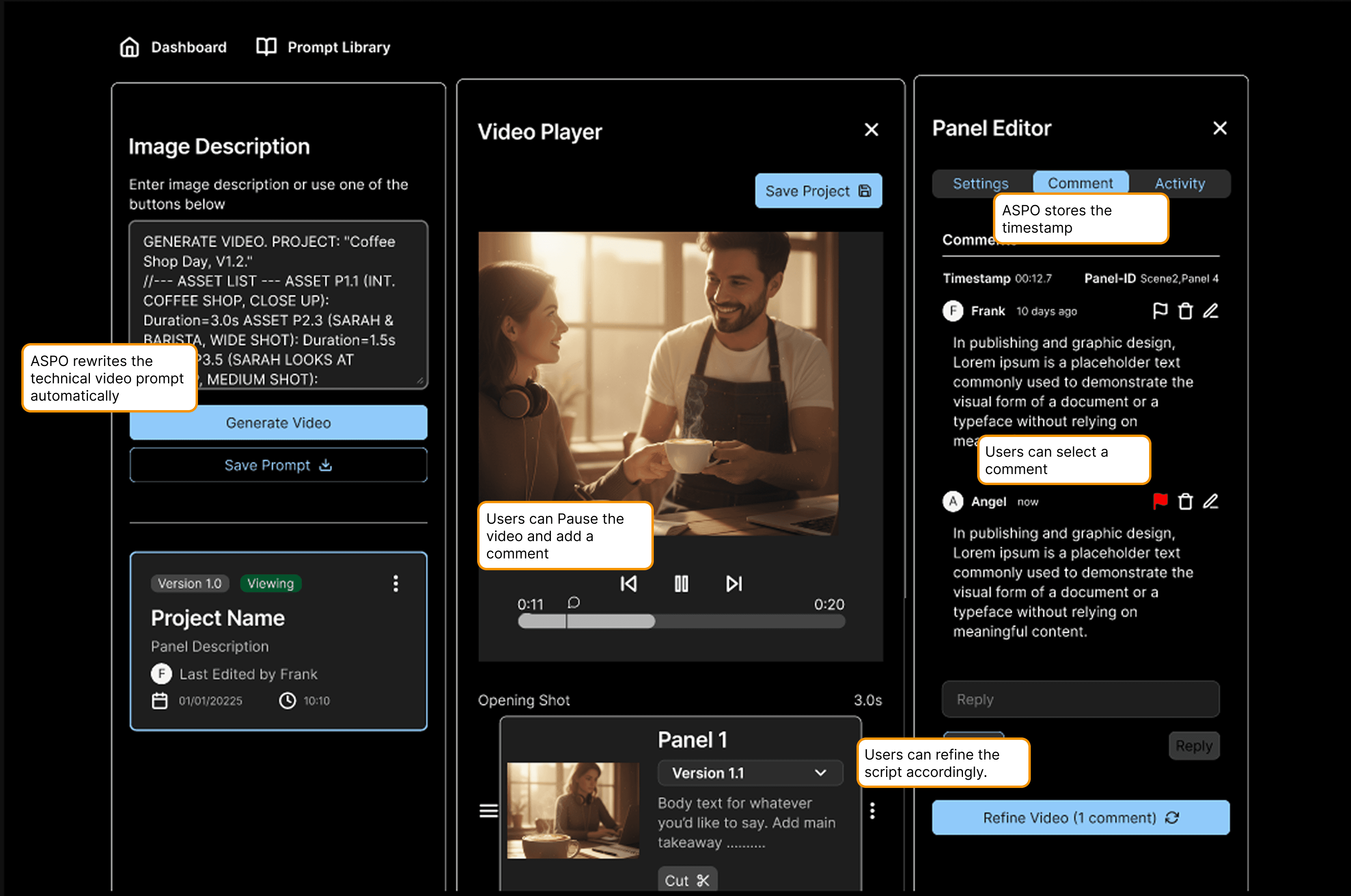
Multi-scene flows were out of reach in a 2-week sprint. I made the constraint a feature: one script, one scene, one clear path forward. Complexity deferred to V2 — deliberately.
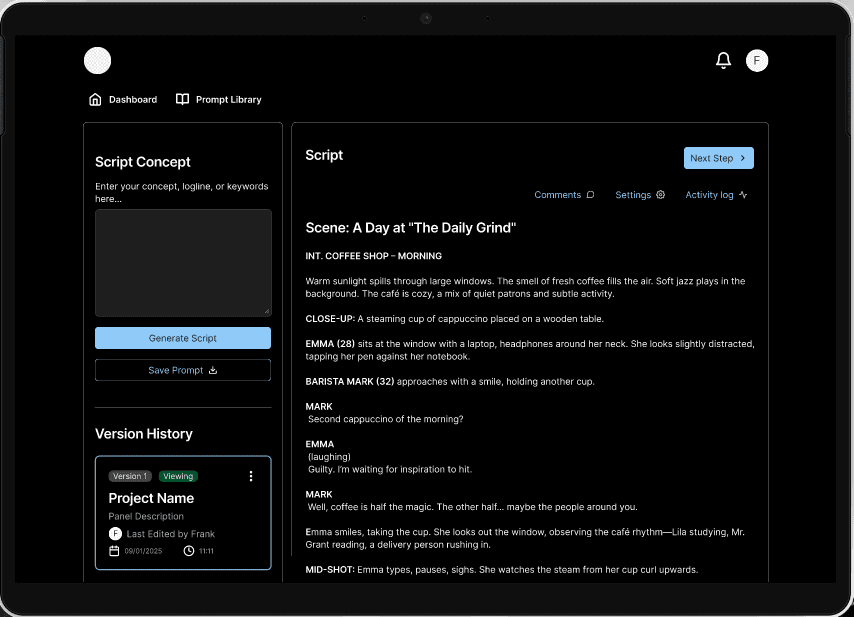
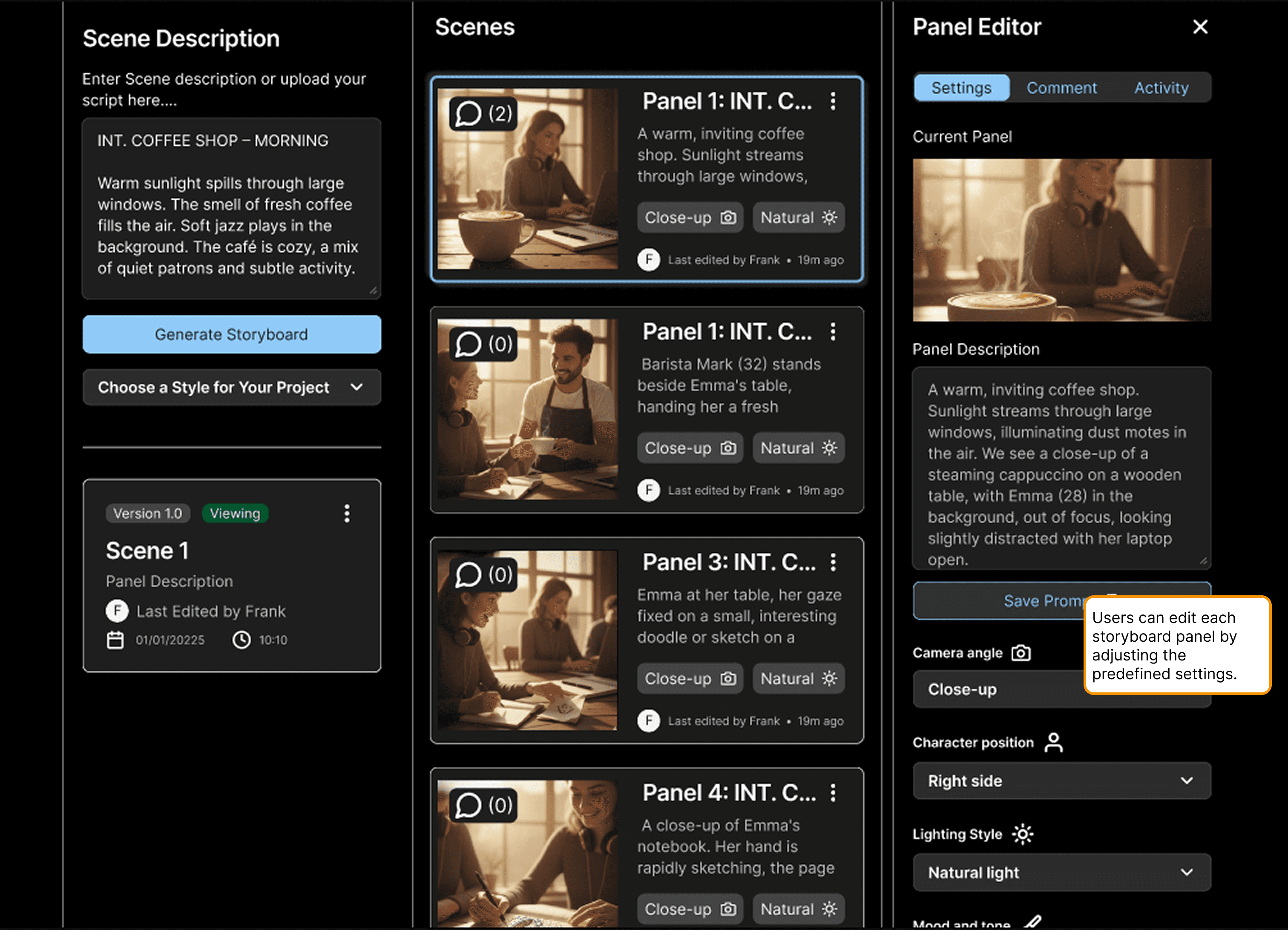
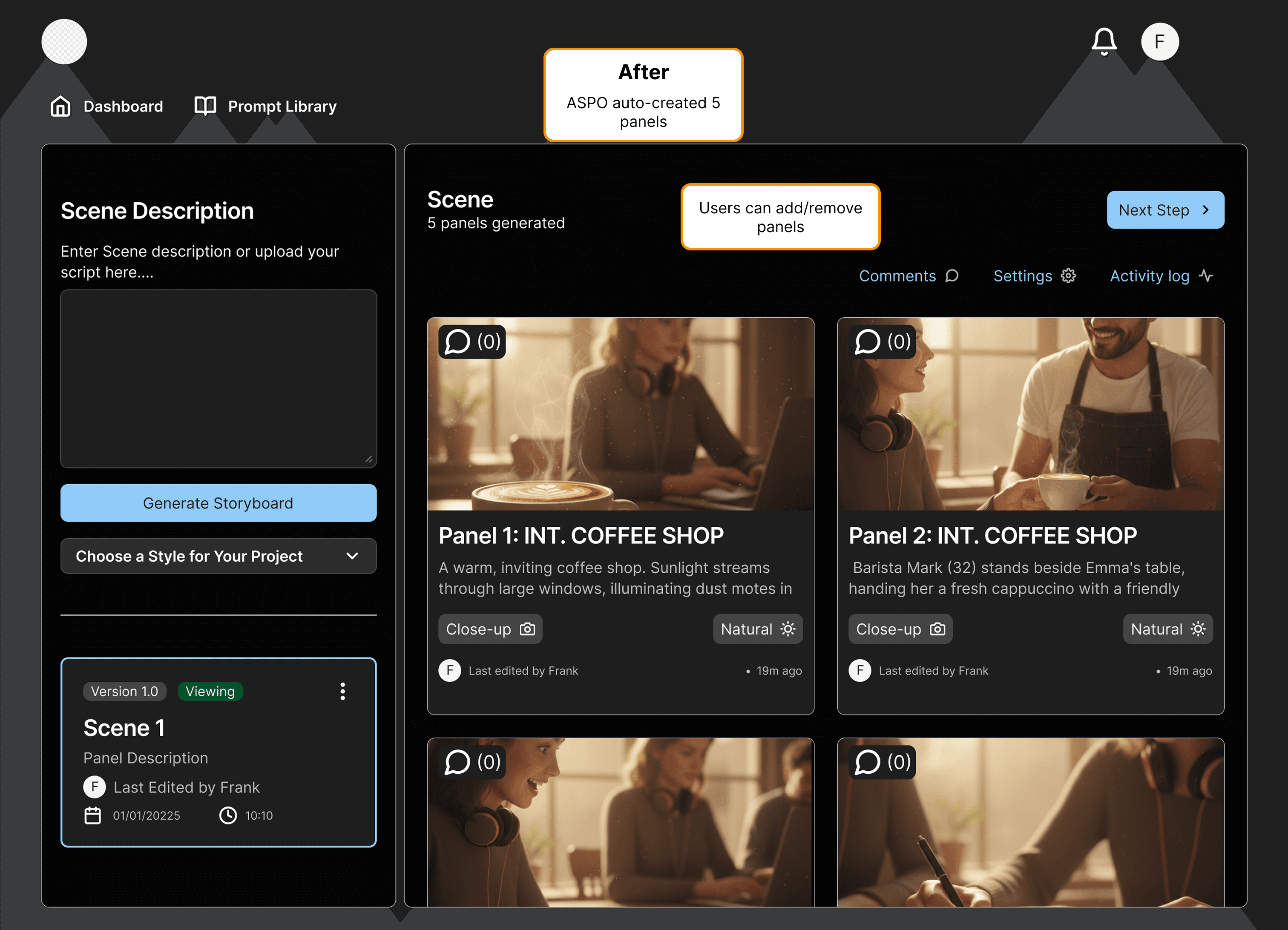
Blank canvas anxiety kills momentum. The system opens with 5 auto-generated panels — a starting point, not a constraint. Add or remove freely.
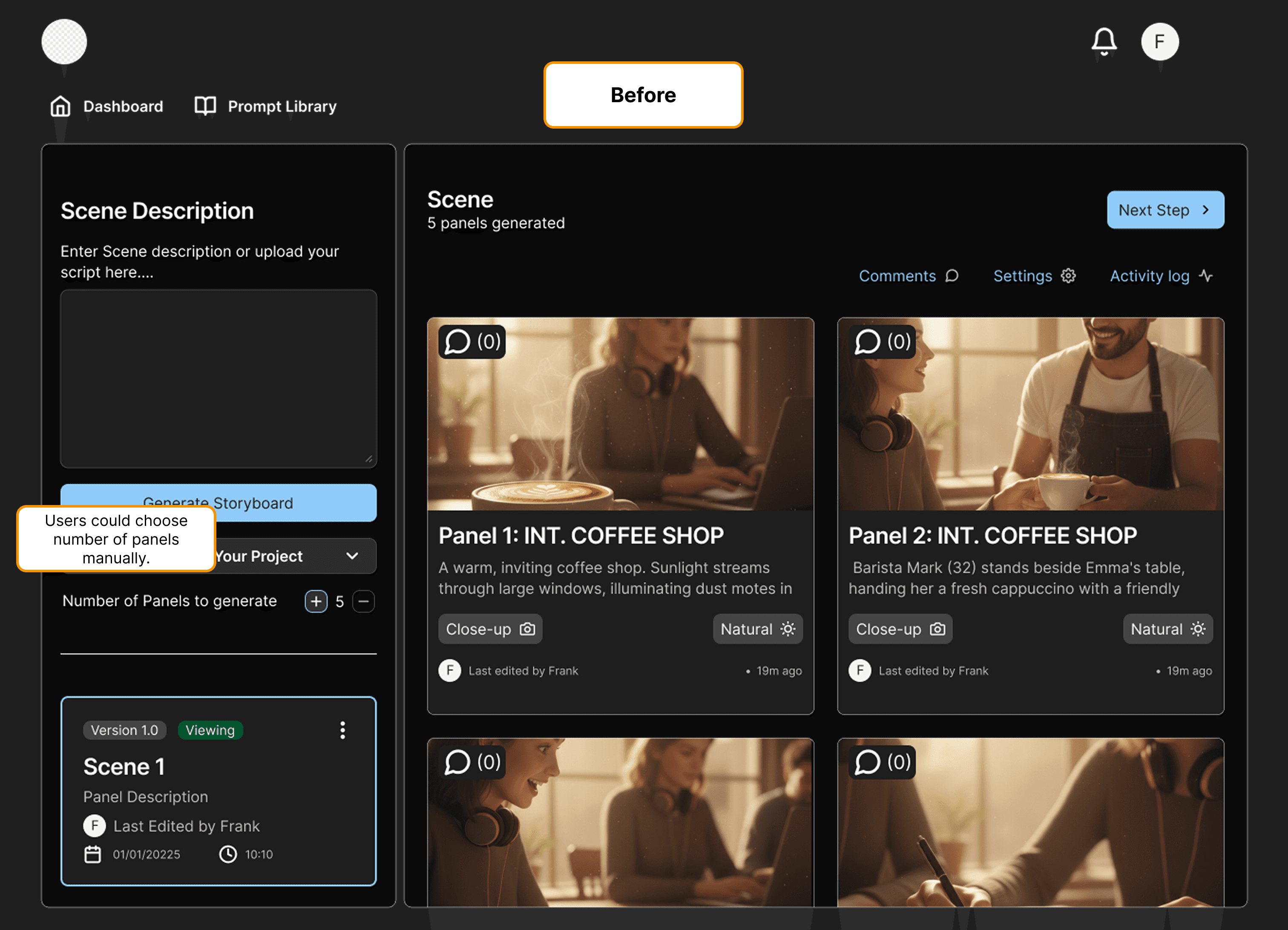
Four operations. One button. "Refine Panel" saves changes, regenerates text, creates a new image, and logs version history simultaneously — the complexity is real, just invisible to the user.
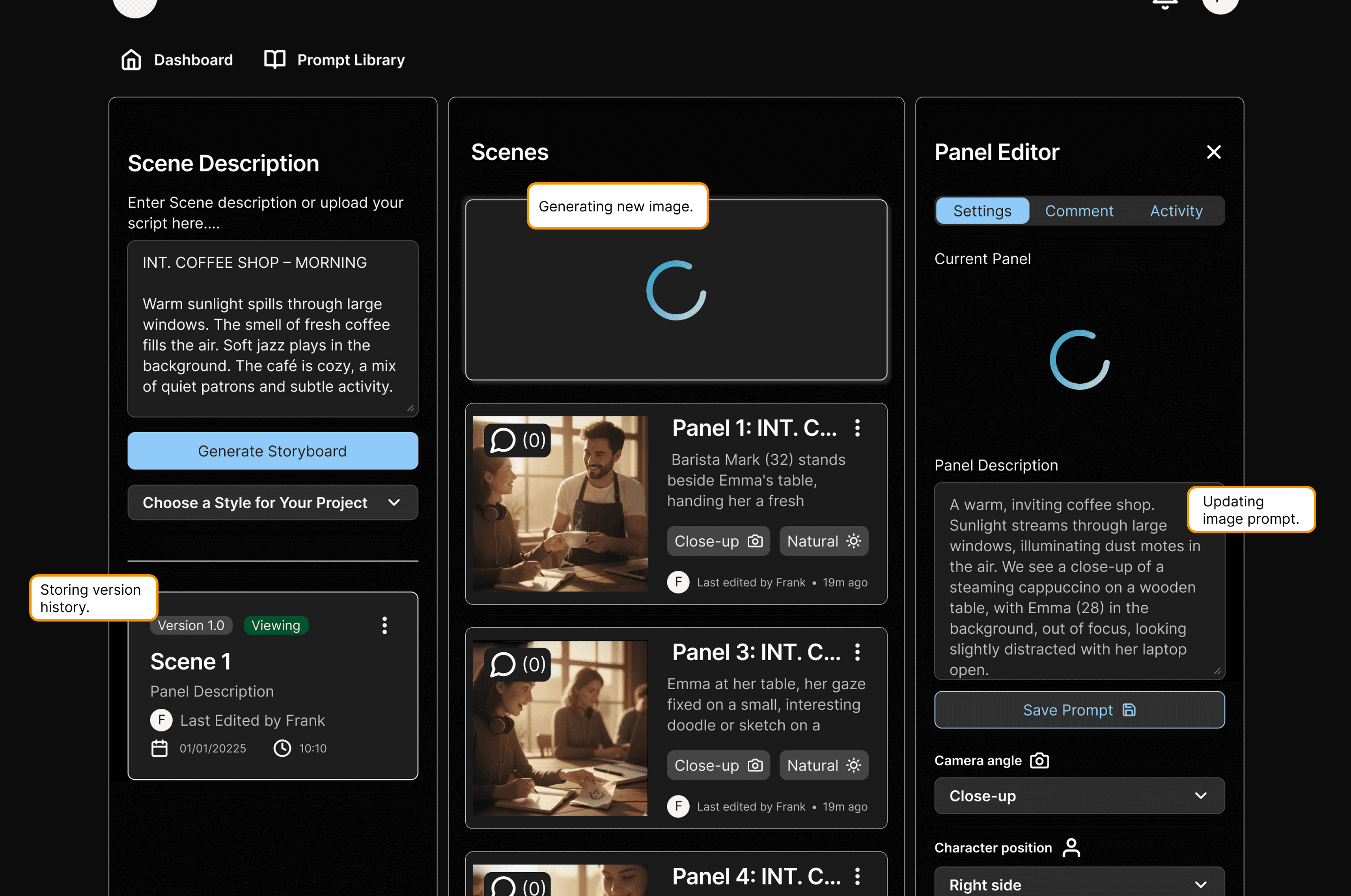
Rewriting AI prompts manually after every edit is a workflow killer. Any change — reorder, refine, comment — auto-updates the full prompt chain behind the scenes.